Notepad New Tab logo

A developer notepad
on every new tab

Open a tab, start typing. Format and fold JSON, diff two payloads, read a stack trace with syntax highlighting, preview markdown. Nothing leaves your browser.
v1.2.0 · No account · No server · No analytics

Notepad New Tab open on a formatted JSON payload, with the tree view panel expanded on the right and the note list in the sidebar.

What it does

Built for the tab you actually keep open

Most new-tab notepads give you one textarea. This one gives you the editor you'd otherwise open a whole IDE for.

JSON that behaves like an IDE

Paste a response, hit format, and work with it properly.

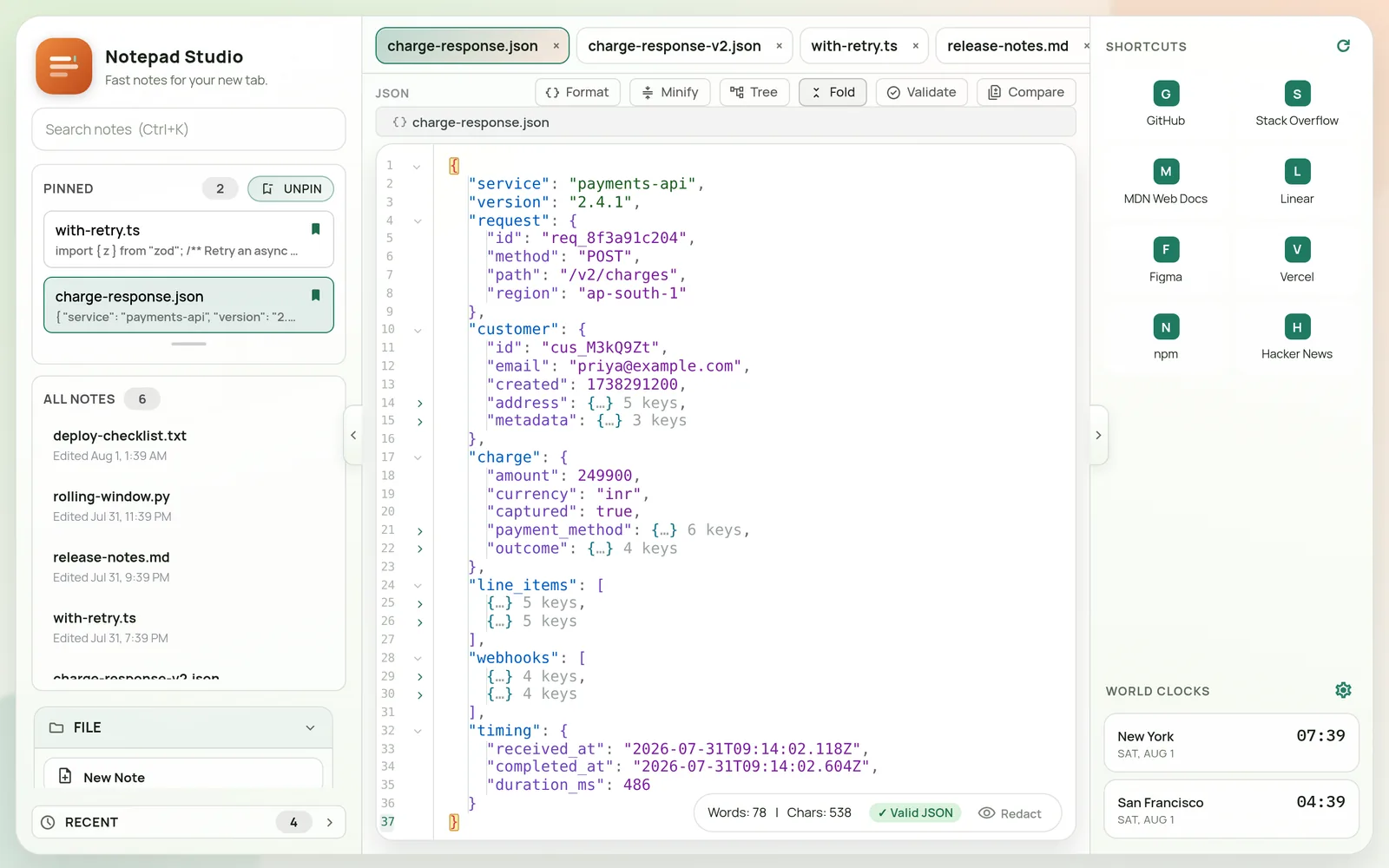
  • Fold levels — collapse the whole document to depth 1, 2 or 3 in one click
  • Path breadcrumb — always shows where the caret is, like charge.outcome.risk_level
  • Problems panel — invalid JSON names the error and jumps you to it
  • Tree view, sort keys, minify — and search that highlights every match
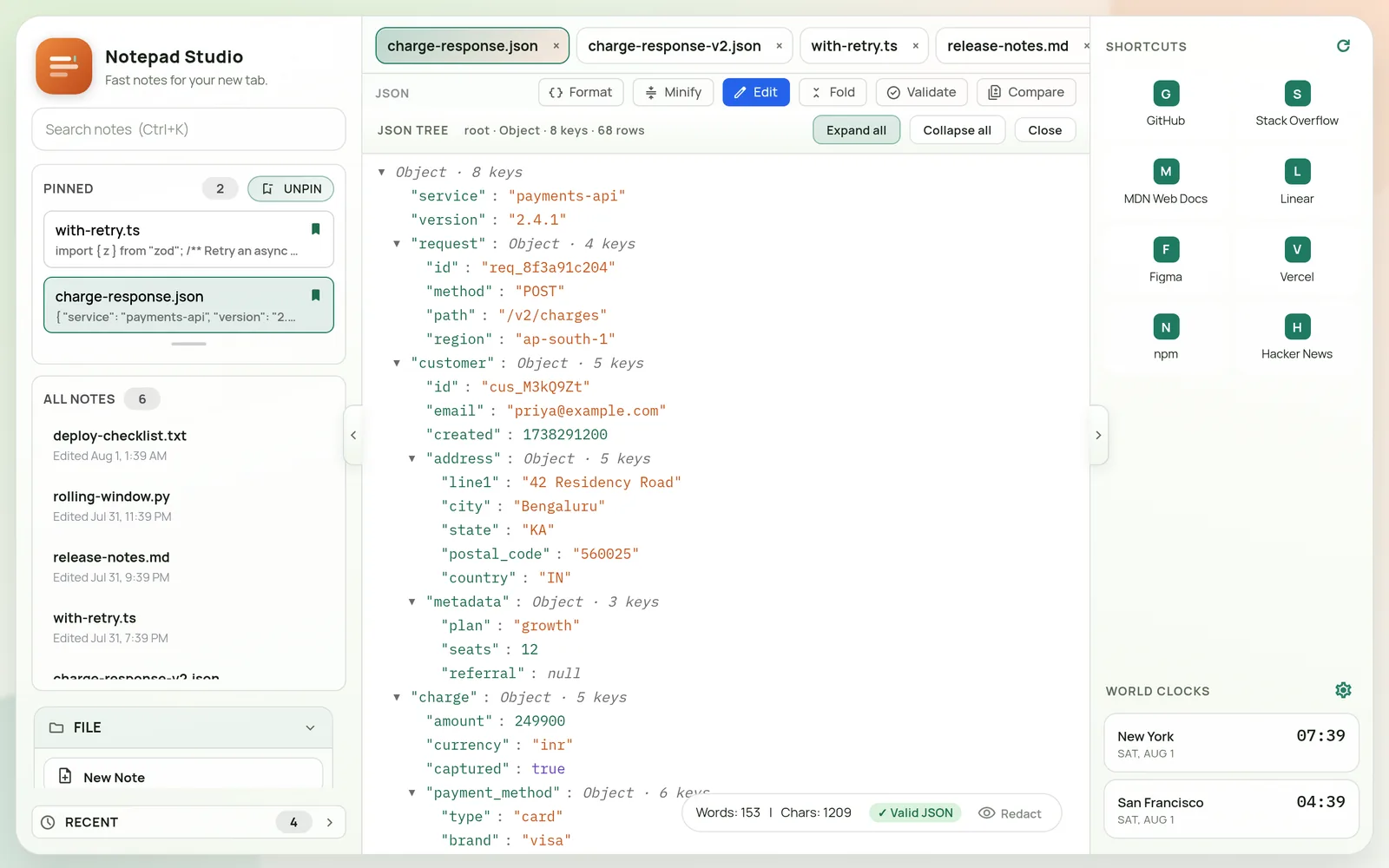
JSON tree view listing the document's top-level keys with types and child counts.

Diff two payloads without leaving the tab

Compare any two notes — or clipboard text, or something you just typed.
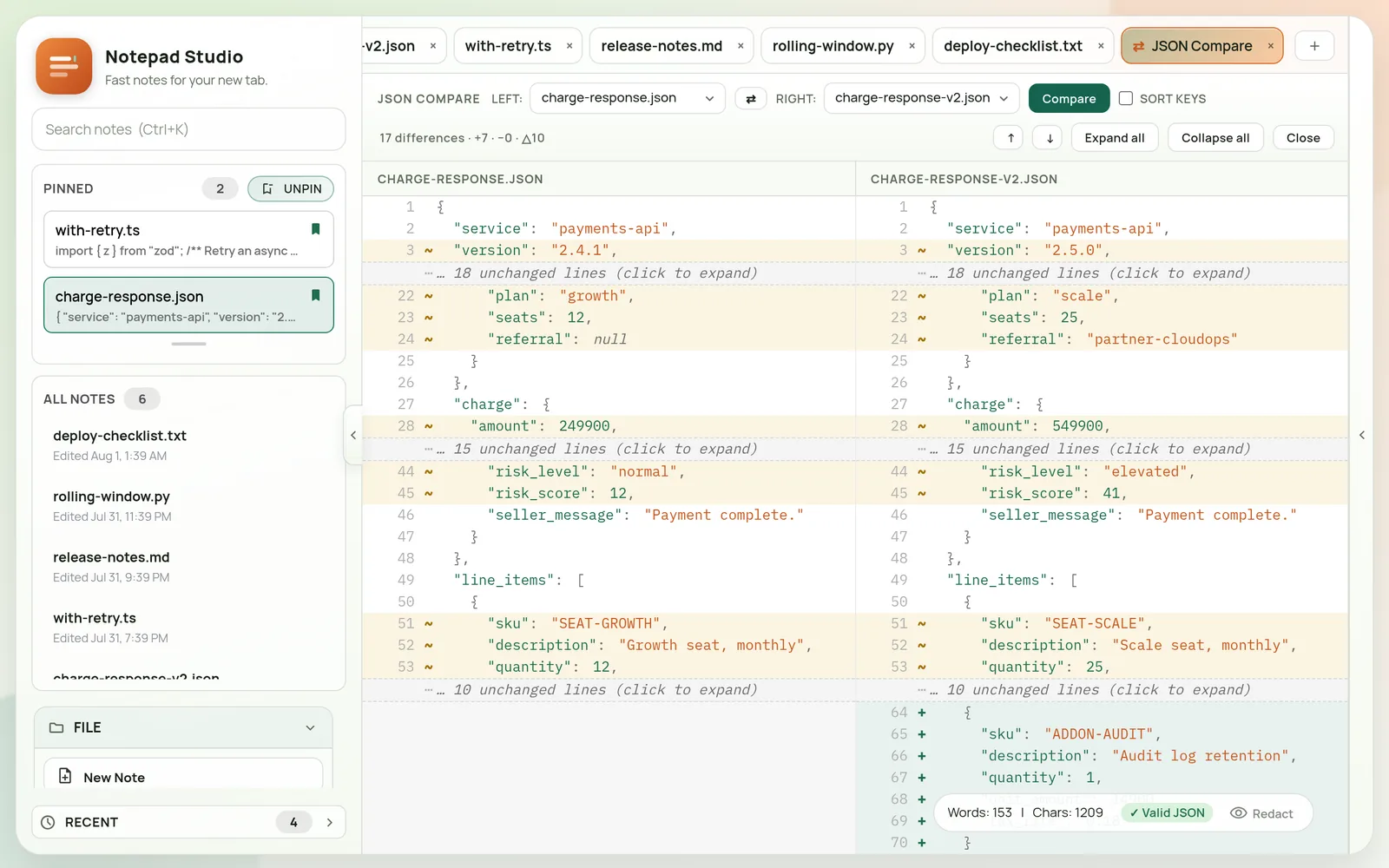
  • Side-by-side or unified, with unchanged runs collapsed
  • Optional key sorting, so field order stops creating fake diffs
  • Jump between changes; expand any collapsed run inline
Two JSON documents compared side by side, with 17 differences summarised and unchanged lines collapsed.

Syntax highlighting and real find & replace

Name a note .ts, .py, .sql or .md and it highlights accordingly.
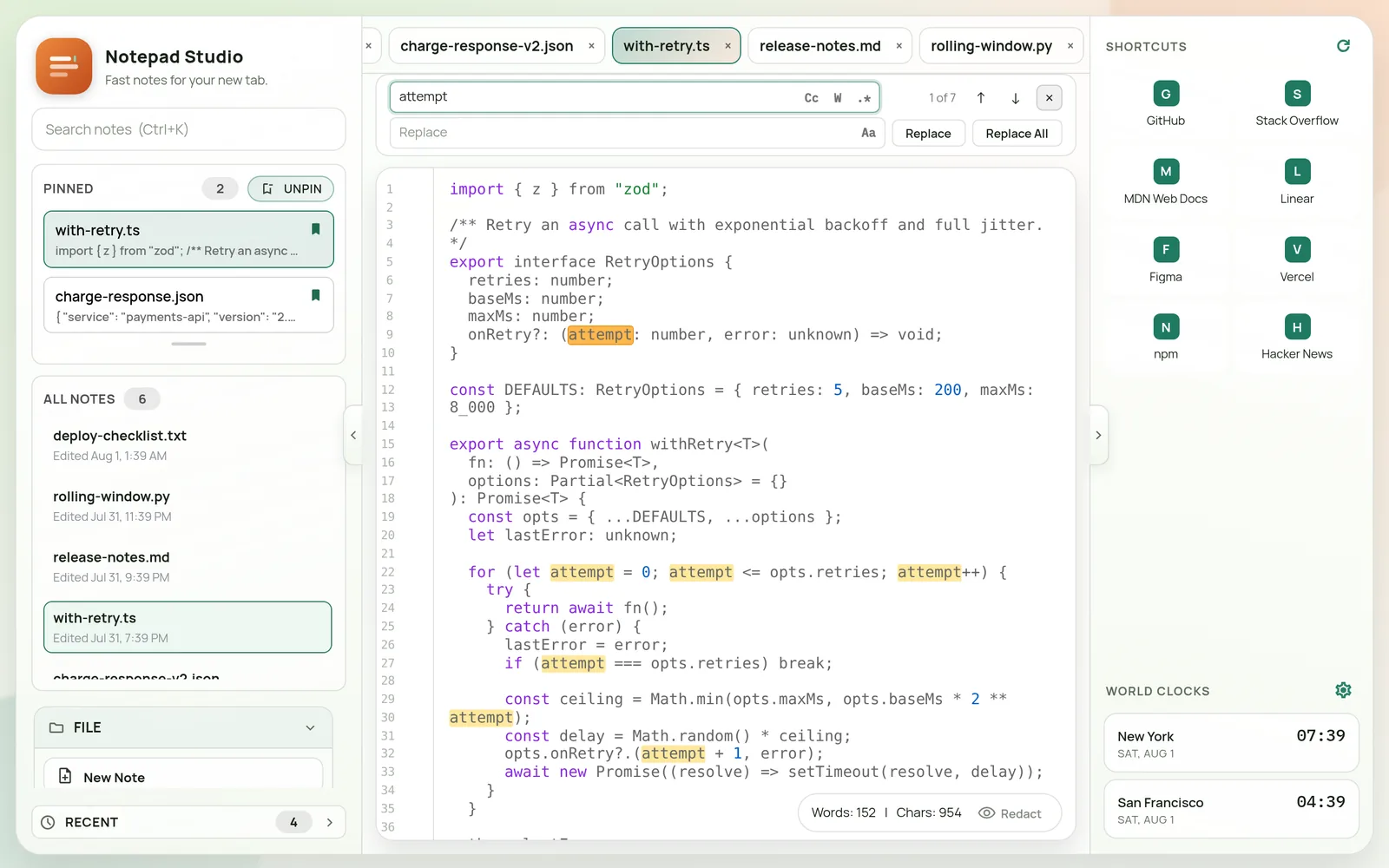
  • Match case, whole word, and regex
  • Replace one or replace all, with preserve-case
  • Every match highlighted at once, with a running counter
TypeScript file with syntax highlighting and the find and replace panel showing 1 of 7 matches.

Markdown you can actually read

Toggle preview on any .md note — headings, tables, code, quotes and lists, rendered in place.
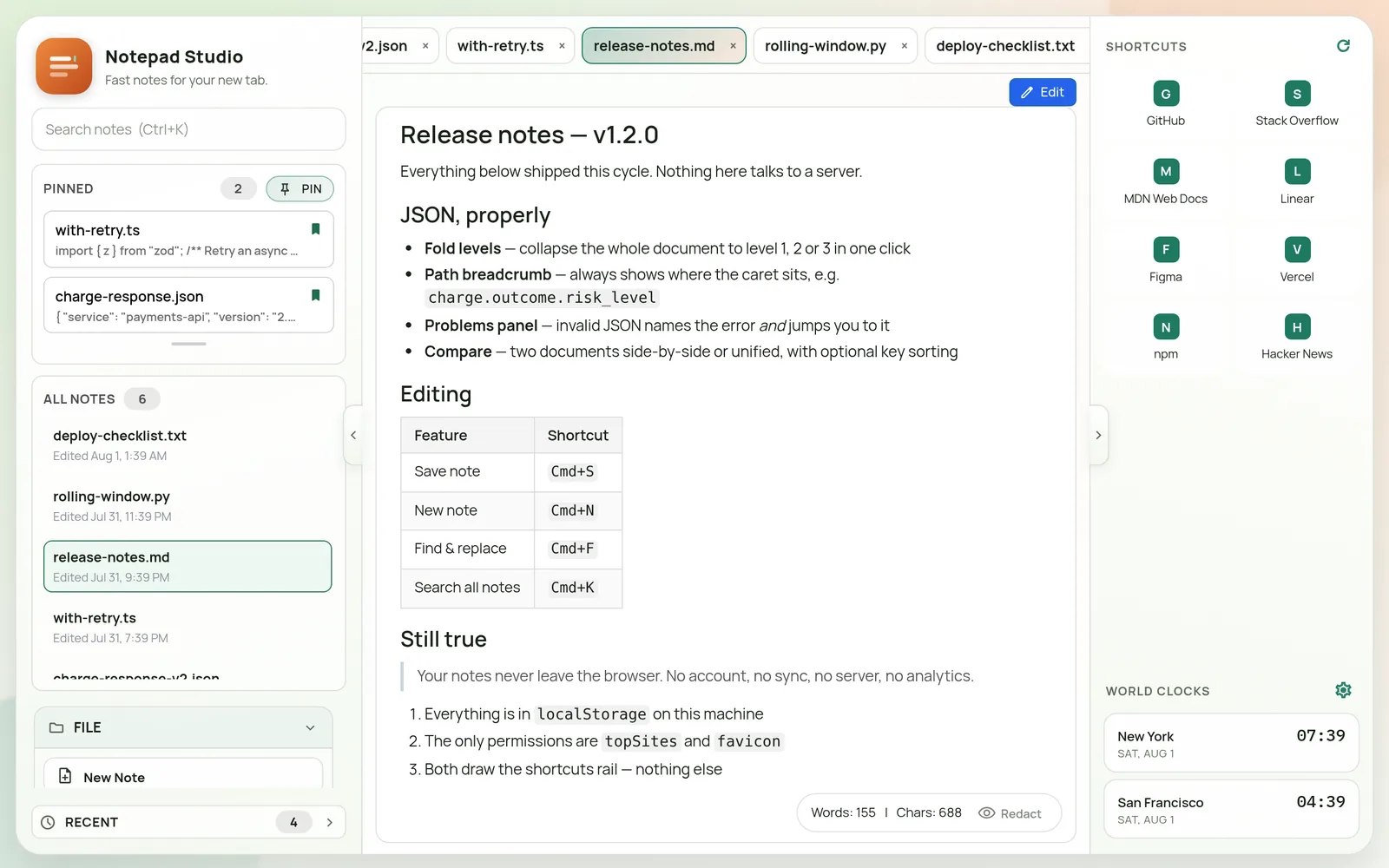
  • One keystroke between editing and reading
  • Full-width preview, so tables aren't squeezed
A markdown release-notes file rendered as formatted preview with headings, a table and a blockquote.

Dark mode, and a tab that still works as a tab

The shortcuts rail keeps your most-visited sites one click away, plus world clocks for whoever you work with.
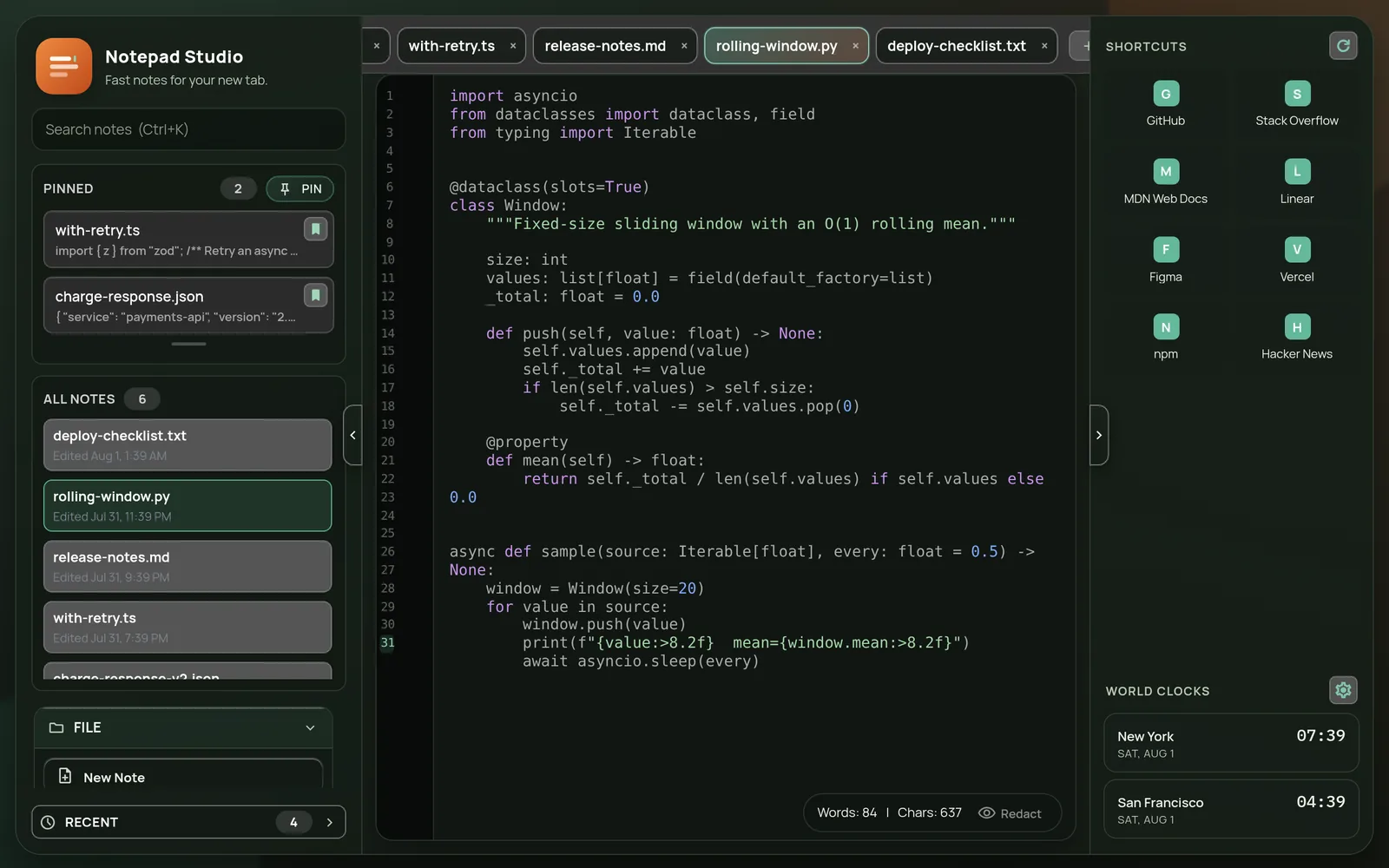
  • Light and dark themes, adjustable font, size and line height
  • Pin the notes you keep coming back to
  • Redact mode to blur contents before you screen-share
Dark theme showing a Python file with syntax highlighting, the shortcuts rail and world clocks.

Privacy

Your notes never leave the browser

This isn't a promise about how carefully data is handled on a server. There is no server.

No accountNothing to sign up for, nothing to sign in to.
No syncNotes live in this browser's local storage, on this machine.
No analyticsNo telemetry, no tracking pixels, no third-party scripts.
No remote codeEverything ships inside the extension package.
PermissionWhy it's there
topSites Draws the Shortcuts rail from Chrome's own most-visited list. Read locally, rendered, never transmitted.
favicon Reads those sites' icons from Chrome's local favicon cache, so no request goes to any third party to fetch them.

That's the complete list — no storage, no host_permissions, no tabs. Full detail in the privacy policy.

Keyboard

Hands stay where they are

Use Cmd on macOS, Ctrl on Windows and Linux.

New noteCmd + N
Save noteCmd + S
Search all notesCmd + K
Find & replaceCmd + F
Pin / unpinCmd + Shift + P
Markdown previewCmd + Shift + M
Collapse sidebarCmd + B

Install

Takes one click

From the Chrome Web Store

Reviewed by Google, updates automatically. Add to Chrome.

Then open a new tab

Chrome asks you to confirm the new-tab change once. That's the whole setup — there's nothing to sign into.